


Download Cyberlink PowerCinema – Free Media Center for Windows & Mac
Overview
Cyberlink PowerCinema is positioned as a sleek, all‑in‑one TV entertainment hub designed for the modern digital home. The application bundles movie playback, music listening, photo viewing, and even live‑TV support into a single, visually appealing interface. When you first launch PowerCinema, the eye‑catching layout immediately signals a focus on simplicity: large thumbnail tiles, clearly labeled tabs, and intuitive navigation that works equally well with a mouse or keyboard. The program is divided into two primary sections—Entertainment and My Memories. “Entertainment” gathers your movies, music, and photos in a polished gallery, while “My Memories” acts as a personal library for imported content, letting you quickly locate favorite files. Additional menus provide access to configuration, updates, and a built‑in help system, although the latter suffers from a cluttered design that can frustrate users seeking quick answers.
PowerCinema markets itself as a lightweight alternative to heavyweight media suites, promising fast startup times and low system impact. It supports a broad range of video formats, from common MP4 and AVI files to more niche containers, and offers a fullscreen mode optimized for cinematic viewing on large monitors or TVs. A basic photo editor lets you trim, rotate, and apply simple filters without leaving the application. For users with TV tuners, the software also integrates Live TV, Recorded TV, and radio streaming, turning a PC into a modest set‑top box. However, the platform’s minimalist approach means that advanced users may find the settings panel sparse, with limited customization options for playback, subtitles, or audio routing. The built‑in help documentation is functional but poorly organized, making it difficult to locate specific topics.
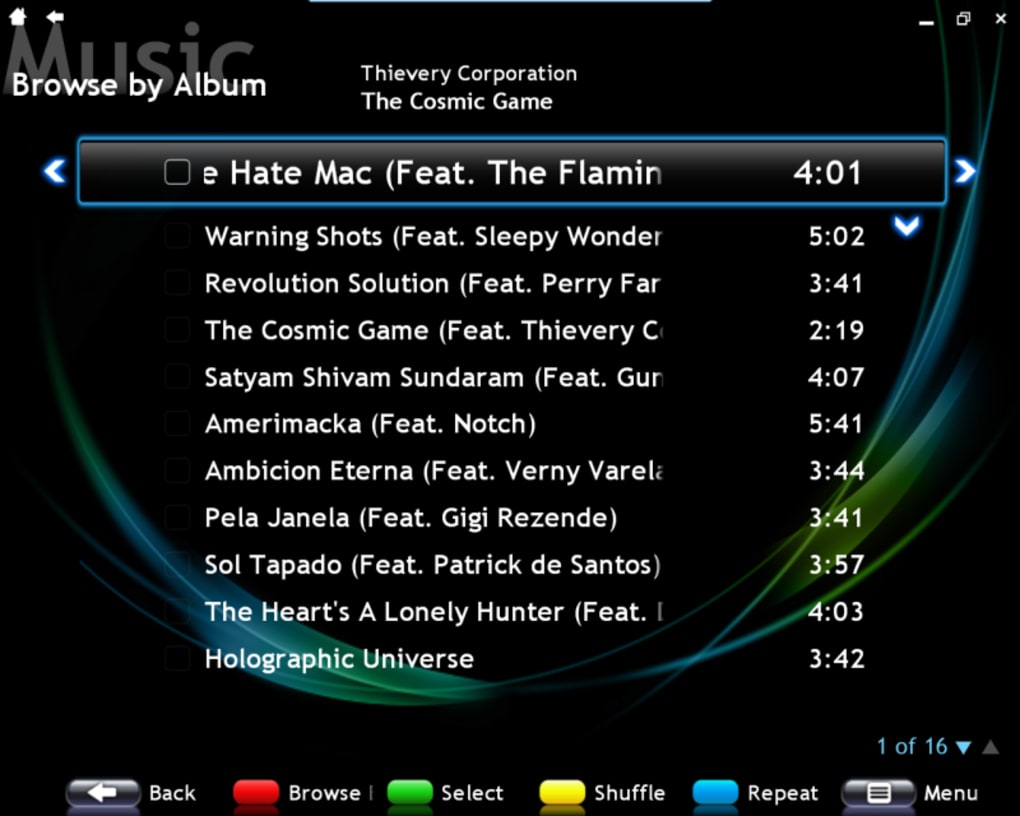
In practice, PowerCinema delivers a pleasant visual experience that works well for casual viewing. The interface’s large thumbnails and quick‑access menus reduce the time spent hunting for files, and the fullscreen playback offers a decent, though not spectacular, picture quality. Yet, several pain points emerge: occasional thumbnail generation failures, occasional stutters with high‑bitrate movies, and a music library that lacks the sophisticated playlist management found in dedicated audio players. For users who prioritize a clean, straightforward media center and do not need deep configuration, PowerCinema can be a solid free choice. Those seeking a richer feature set, robust audio controls, or flawless codec compatibility may need to look elsewhere.
Key Features
- Dual‑Pane Interface: Separate “Entertainment” and “My Memories” sections for quick content discovery.
- Fullscreen Cinema Mode: Optimized playback for movies and photos on large displays.
- Basic Photo Editor: Crop, rotate, and apply simple filters without leaving the app.
- Live TV & Radio Integration: Support for external tuners to stream broadcast channels.
- Broad Format Support: Handles MP4, AVI, MKV, WMV, MOV, and many other video containers.
- Thumbnail Generation: Automatic preview images for video and photo files.
- Keyboard & Mouse Navigation: Seamless control using either input method.
- Automatic Updates: Built‑in updater keeps the software current with the latest patches.
- Lightweight Footprint: Low CPU and memory usage compared with larger media suites.
- Cross‑Platform Availability: Compatible with both Windows 10/11 and macOS 10.15+.
Installation, Usage & Compatibility
Downloading Cyberlink PowerCinema is straightforward. Visit the official Cyberlink website, locate the PowerCinema product page, and click the Download Free button. The installer is a single .exe for Windows or a .dmg for macOS. Once the file is saved, double‑click to launch the wizard. The installer guides you through standard steps: accept the license agreement, choose an installation folder (the default path works for most users), and select optional shortcuts. After the brief installation, PowerCinema automatically launches the first‑time setup wizard, prompting you to scan for media folders. You can point the scanner to directories containing movies, music, and photos, or let the software use its default “Videos,” “Music,” and “Pictures” libraries.
During the initial scan, PowerCinema builds a thumbnail cache that powers the visual galleries. This process can take a few minutes depending on the size of your collection, but it runs in the background and does not block other computer activities. Once indexing is complete, you’ll see the “Entertainment” tab populated with large, clickable thumbnails. Clicking a movie thumbnail opens the built‑in player, which defaults to windowed mode but can be switched to fullscreen with the F key or the fullscreen button in the lower‑right corner. Playback controls are standard: play/pause, seek bar, volume, and a basic subtitle toggle. For photo viewing, the same interface provides a slideshow mode that automatically transitions between images, with simple editing tools accessible via a toolbar.
Cyberlink PowerCinema runs on Windows 10, Windows 11, and macOS 10.15 (Catalina) and later. The software is optimized for 64‑bit systems and requires at least 2 GB of RAM, though 4 GB or more is recommended for smoother video decoding. A graphics card with hardware acceleration (DirectX 11 or Metal support) improves fullscreen playback quality, especially for high‑resolution 1080p or 4K files. While the application can operate on laptops and desktops alike, users with older integrated graphics may experience occasional frame drops with high‑bitrate videos.
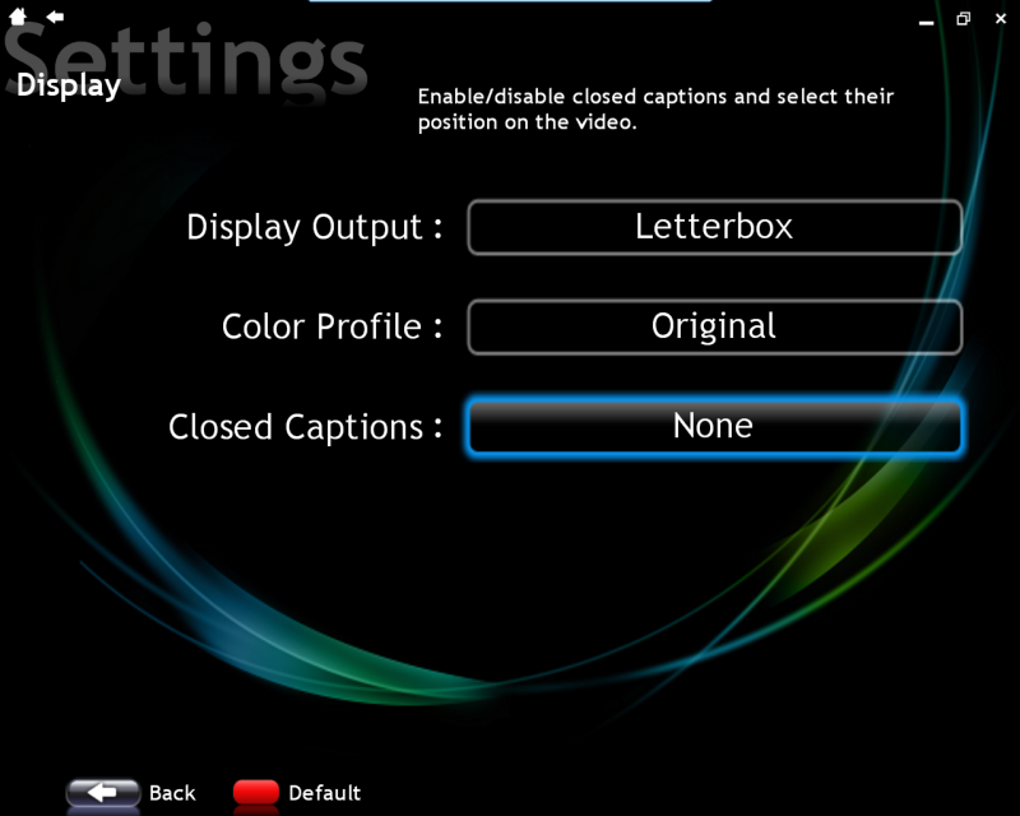
PowerCinema’s user experience is intentionally simple. After launching, the main window offers two clearly labeled tabs: Entertainment and My Memories. The “Entertainment” tab is your public media hub—perfect for quick movie nights or music listening. The “My Memories” tab serves as a personal archive where you can import and organize photos and videos you’ve edited or created. Both tabs share the same navigation logic, making it easy to switch between them without a learning curve. The settings menu, accessed via the gear icon, allows you to adjust basic preferences such as default video output (HDMI, VGA), language, and update frequency. However, PowerCinema deliberately avoids deep configuration, which may disappoint power users seeking granular codec settings or advanced audio routing.
Pros, Cons & Frequently Asked Questions
Pros
- Visually appealing, easy‑to‑navigate interface.
- Free download with no hidden fees.
- Supports a wide range of video formats out of the box.
- Fullscreen mode provides an immersive viewing experience.
- Lightweight on system resources compared to full‑blown media suites.
- Live TV and radio support for users with compatible tuners.
- Cross‑platform availability for Windows and macOS.
Cons
- Limited audio features and playlist management.
- Basic photo editor lacks advanced tools.
- Occasional thumbnail generation failures.
- Help documentation is poorly organized.
- Few advanced settings for codec or subtitle customization.
- Fullscreen video quality can be lower than dedicated players.
Frequently Asked Questions
Is Cyberlink PowerCinema completely free?
Yes, PowerCinema is offered as a free download with no mandatory purchase. All core features—including video playback, photo viewing, and live TV support—are available without a license.
Which video formats are supported?
PowerCinema supports most common formats such as MP4, AVI, MKV, WMV, MOV, and FLV. However, some niche codecs may require additional codecs or may not play smoothly.
Can I use PowerCinema on a TV with a HDMI connection?
Absolutely. PowerCinema’s fullscreen mode works over HDMI, and the software will automatically detect the connected display. For the best experience, ensure your graphics driver is up to date.
Is there a way to add subtitles to movies?
PowerCinema includes a basic subtitle toggle, but it does not offer advanced subtitle syncing or styling options. For extensive subtitle management, consider a dedicated video player.
What are the system requirements?
Minimum: Windows 10/11 64‑bit or macOS 10.15+, 2 GB RAM, 500 MB free disk space, and a graphics card supporting DirectX 11 (Windows) or Metal (macOS). Recommended: 4 GB RAM, modern GPU, and SSD storage for faster media indexing.
Conclusion & Call to Action
Cyberlink PowerCinema delivers a clean, visually engaging media center that excels at quick browsing and basic playback. Its strength lies in the simplicity of its two‑pane layout and the ability to turn a PC into a modest home‑theater hub without taxing system resources. However, the trade‑off for that simplicity is a lack of depth—audio features are rudimentary, advanced playback settings are missing, and the help system could use a redesign. If you’re looking for a free, no‑frills solution to organize and enjoy movies, photos, and occasional live TV, PowerCinema is a solid pick. Power users who demand sophisticated playlist controls, high‑fidelity audio, or extensive codec customization may want to explore alternatives like Plex, Kodi, or VLC.
Ready to give Cyberlink PowerCinema a try? Download the latest version now and transform your PC into a sleek entertainment hub. Keep the software updated to benefit from performance improvements and new format support. Enjoy your media, your way.







